Free Pomodoro App With No Login: 5 Things to Check
By StudyAide (Sound Producer & App Developer)·Published ·Updated
Narrowed to apps you can use right away without creating an account, here are the criteria that actually matter when choosing.
Why do so many Pomodoro and study timer apps require a login
When a Pomodoro timer or study app immediately greets you with a sign-up screen, it can feel like a hassle. But most have their own reasons.
To carry records across several devices, data has to be stored on a server per account. To check a session you started on your phone from a tablet, that data has to sit somewhere shared. Features for ranking against friends or sharing study time as a group also need an account system to tell users apart. In some cases an account is required for login-based ad targeting or paid subscription management.
A login isn't the goal in itself so much as a mechanism supporting sync, social features, and the revenue structure. But if you don't need those features, the sign-up process just remains an entry barrier. For someone using one device alone, it only adds friction with nothing gained.
Five things to check when choosing a no-login Pomodoro app
1. Is an account actually required
Check whether you can use the timer straight from first launch. If a sign-up or login screen blocks app use right after install, then however good the features are, it moves away from the goal of "a timer you use lightly." Some apps can be used without an account but require a login only for certain features like sync. In that case, judge by whether you'll ever use that feature.
2. Where is data stored
Whether your focus records and settings are sent to a server or stay only on the device makes a big difference to how far personal data is exposed. An app that stores only on the device has no data leaving in the first place, so there's less to worry about with leaks. In return, as noted below, there's the limit that records don't carry over when you switch devices. Check the store description or privacy policy for phrasing like "stored on device" and "not sent to a server."
3. Does it work offline
Check whether the timer and basic sound work properly in a library, reading room, subway, or plane where the internet is cut off. The timer usually works offline, but if the sound is streaming it needs a data connection. If you're often offline, it's better to check whether there's "sound downloaded to the device."
4. What is the ads and payment structure
Figure out in advance how far you can go for free and where ads appear or a payment is needed. A free app's revenue model is usually ads, a subscription, a one-time purchase, or a combination. Neither is bad in itself, but knowing ahead of time about a structure where "core features are free but certain sounds or stats are locked" cuts down on disappointment.
5. Does it support the sound you want
Check whether it plays white noise or background music alongside the timer, and whether it adjusts the volume separately. An app with only a timer can't build the focus environment itself. If sound matters, also look at how many kinds there are and whether you can layer several at once.
These five also tie into using the Pomodoro Technique itself well. If you want to know how to run the timer, see the Complete Guide to the Pomodoro Timer, and if you're weighing which sound to listen to while focusing, also look at the What Are Binaural Beats? guide.
How to check in the store before installing
Even before installing an app, you can filter out a few things in advance.
- Search the store description: look for words like "account," "sign up," "login," "sync," and "cloud." If they show up often, it's likely a login-centered app.
- Check the screenshots: see whether the captures show a login or sign-up step, and how many onboarding steps there are.
- Complaint patterns in reviews: check whether complaints like "you can't do anything without signing up," "ads are too frequent," and "it doesn't work offline" repeat.
- Privacy section: in the store's data safety section, look at what data is collected and where it's sent.
Comparing by app type
Study timer apps by type
| Account-required type | Gamified type | Local-storage type | |
|---|---|---|---|
| Account required? | Sign-up / login required | Often requires sign-up / login | Use right away with no sign-up |
| Where data is stored | Stored and synced on a server | Stored on a server (for ranking and social features) | Stored only on the device |
| Offline support | Some features limited | Ranking and competition features need online | Timer and white noise work offline (background music is streamed) |
| Ads / payment structure | Free plus subscription mix is common | Many in-app purchases for cosmetic items | Core features free, ad-supported |
| Sound support | Varies widely by app | Focused on features beyond the timer, sound is limited | White noise and background music included by default |
The account-required type suits people moving across several devices; the gamified type suits people who need an external device because their motivation is weak. The local-storage type suits people who want to use it quietly on one device with no personal-data burden.
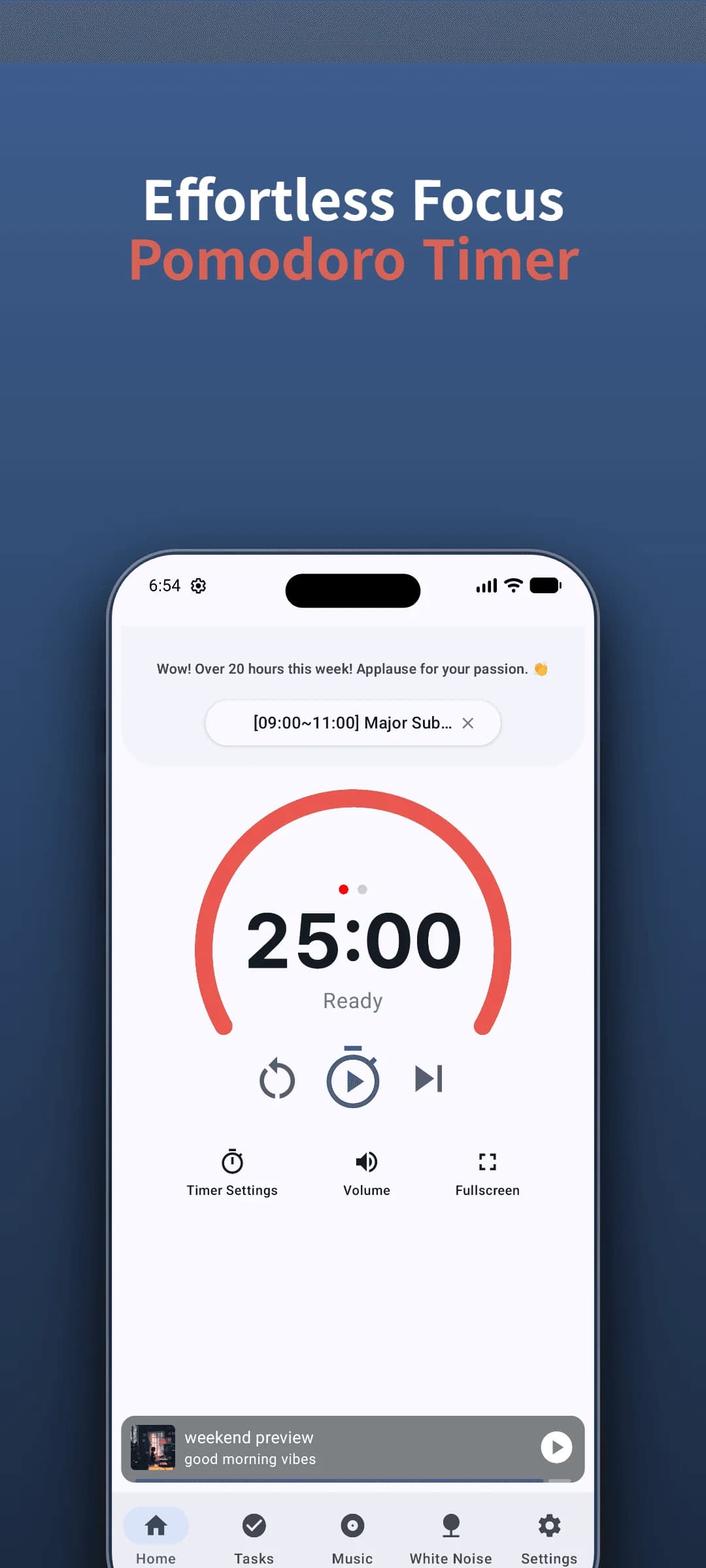
Try the StudyAide timer with no login
Install the app with no sign-up and start the Pomodoro timer right away.
Install Free on Google PlayWhere StudyAide stands on these criteria
StudyAide needs no login. You start the timer right after install, and your focus records and settings are stored only on the device, not on a server. White noise plays with no internet connection.
Even during free use, the core features are all available: the Pomodoro timer, Goals (Tasks), basic stats, white noise, and the base background music album. Goals (Tasks) can be created for free, but there's some limit on the number you can register. Ads are shown during free use, and choosing a subscription or lifetime unlock removes the ads and adds unlimited Goals (Tasks) preset creation.
That said, since there's no login, switching devices means your old records don't carry over automatically. Compared with apps that have sync, it's a clear limitation, so if you plan to use it across several devices, account for it in advance. Conversely, if the goal is to use it on one device with no account burden, this setup fits well.
Sources
- Cirillo, F. (2018). The Pomodoro Technique: The Acclaimed Time-Management System That Has Transformed How We Work. Currency. Foundational principles for running focused intervals and rest periods locally and without distraction.
- Pew Research Center (2019). Mobile Privacy and Permissions. Public survey data on user privacy attitudes regarding mandatory account registration and data collection in mobile applications.
No account — start right now
Just install with no sign-up and use the Pomodoro timer and focus sound right away.
 Install Free on Google Play
Frequently asked questions
If I use it without a login, what happens to my records when I switch devices?
Most apps with no login store records only on the device. StudyAide is the same. Since nothing syncs to a server, switching devices means your old records don't move to the new one. That's a real limitation of the account-free approach, so know it in advance.
Do free apps always have ads?
Not necessarily, but to keep a service free most cover costs through either ads or paid purchases. StudyAide keeps core features open for free, shows ads during free use, and removes ads if you choose a subscription or lifetime unlock.
Do the timer and sound work offline?
The timer and white noise work with no internet connection. Background music, including the base album, is provided by streaming, so playing it needs a data connection.
If there's no account, how is personal data handled?
Since there's no sign-up at all, there's no account info like an email or password to store on a server. Your focus records and settings also stay only on the device and aren't sent outside, so the room for personal data to be exposed shrinks.
How can I tell before installing whether a login is required?
Look in the store description for words like "account," "sign up," "sync," and "cloud," and check whether the screenshots show a login or sign-up screen. It also helps to see whether reviews complain that "you can't use it without signing up."
People Behind StudyAide (Pinkaide)
Where audio craftsmanship meets lightweight app engineering
StudyAide is created jointly by a sound producer from Pinkaide (producing functional music since 2008, managing YouTube Content ID rights since 2016, and running the 120K-subscriber Relaxing Music channel) and an app developer building lightweight tools. Instead of generic AI loops or unverified tracks, we draw on years of acoustic expertise to craft fatigue-free, carefully mastered soundscapes designed for focus, relaxation, and deep sleep.
Related reading
The Complete Guide to the Pomodoro Timer
Why the Pomodoro Technique works, how to adjust 25 and 5 minutes to fit you, how to handle interruptions and lost focus, and how to use it alongside sound.
Forest App Alternative: StudyAide vs Forest
Forest grows a tree to keep you off your phone; StudyAide builds a sound environment. Compare app blocking, gamification, sound mixing, offline use, and accounts.
Free White Noise App, No Subscription: 5 Checks
Choosing a free white noise app? Check five things: whether the sounds are truly free, offline playback, ad format, timer, and account requirements.