StudyAide vs Focus To-Do: Task App or Focus Sound?
By StudyAide (Sound Producer & App Developer)·Published ·Updated
Focus To-Do is an app for managing goals, and StudyAide is an app for building a focus environment. Less about which is better, and more a comparison by which way of working it fits.
Both apps put a Pomodoro timer at the base, but what they built on top of it is completely different. Focus To-Do stacked project and task management and sync across many devices on top of the timer, while StudyAide stacked a sound environment of white noise and background music mixed together. Rather than "which app is better," it helps to switch the question to "what do I need more right now" for the comparison.
What Focus To-Do does well
Focus To-Do is an app that ties a Pomodoro timer together with task and project management. You break projects into detail with checklists and subtasks, and it supports sync across iPhone, Mac, Android, Windows, iPad, and Apple Watch. It supports Wear OS too, so you can check the timer from a smartwatch. For people who have to manage tasks by project across several devices, it's a powerful combination. Moving up to the premium tier additionally opens sync, white noise, and detailed stats and analytics, and you choose among monthly, yearly, and lifetime purchase options.
What StudyAide does well
StudyAide focuses on the focus environment itself more than on task management. The core is sound mixing that plays white noise and background music separately and adjusts each volume separately. White noise is fully open for free, so you listen right away with no separate payment. There's also a full-screen desk mode that shows only the timer and a small music player over a background image or video, and a stats feature that records your focus time day by day. Another trait is using it right after install with no sign-up or login.
Focus To-Do vs StudyAide
| Focus To-Do | StudyAide | |
|---|---|---|
| Goals (Tasks) / to-do management | Supports detailed management with projects, Gantt charts, and more | Created for free but limited in the number you can register |
| Cross-device sync | Supports iPhone, Mac, Android, Windows, iPad | Not supported (stored on the Android device) |
| Wear OS support | Supported | Not supported |
| White noise | Provided in the premium tier | Completely free, usable right away with no lock |
| Sound mixing | A separate sound-mixing feature is limited | Supports separate volume control for white noise and background music |
| Account required? | An account is needed to use sync | No sign-up or login required |
| Stats | Detailed stats and analytics in the premium tier | Basic stats provided free |
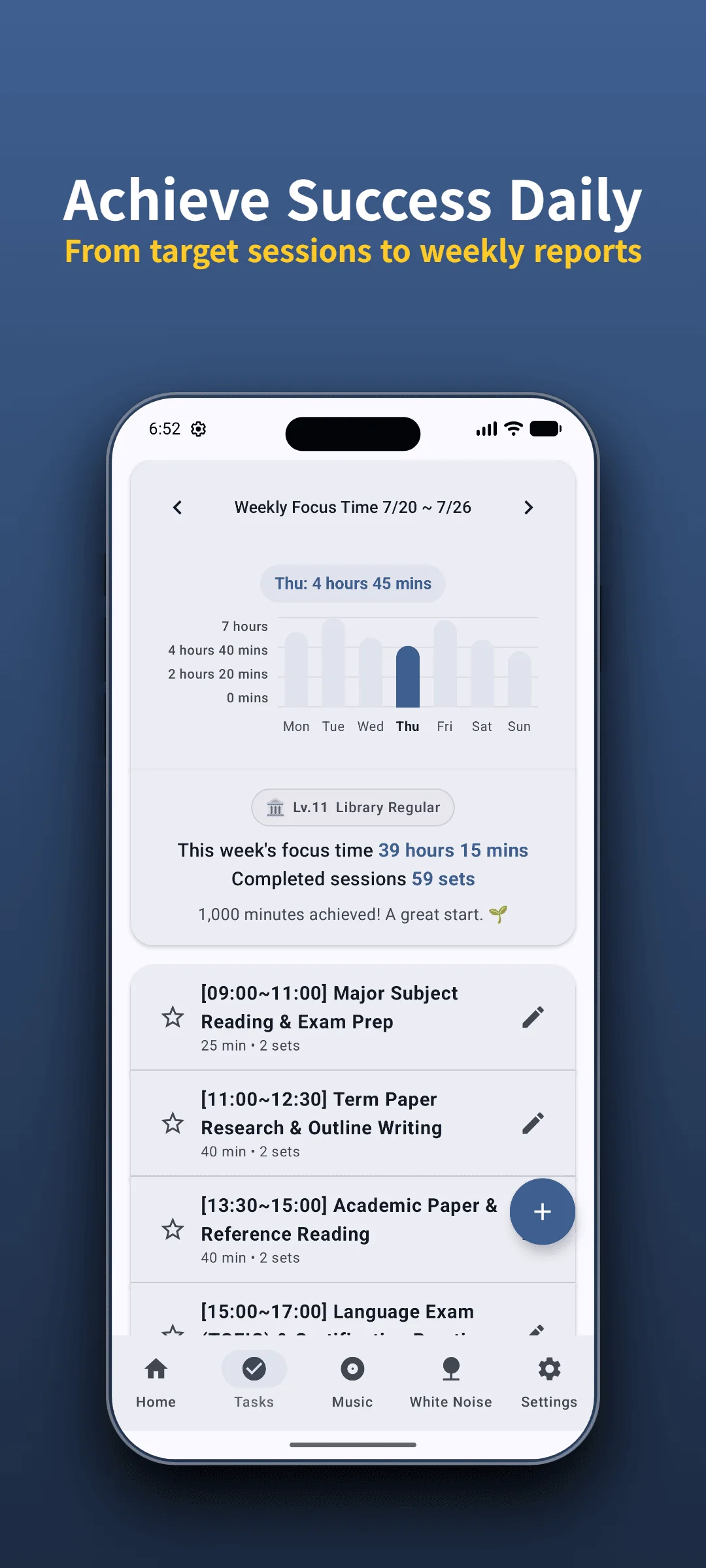
Check your focus records with StudyAide
As Pomodoro sessions add up, your focus time day by day stays as a record.
Install Free on Google PlayThe difference you notice after a few days
Considering a scenario where you use both apps interchangeably in everyday study environments, their practical differences become much clearer than in a feature table.
Focus To-Do makes you organize your tasks into a list first when you start the day. Creating a project and putting detailed tasks under it lays out "what I have to do today" in front of you. In return, this process itself takes a little time. For someone who already has their tasks organized in their head, it can feel like an unnecessary step.
StudyAide doesn't have that step. Open the app and the timer and sound screen appear right away, and you start a session within seconds. In return, "what to do" is something you have to decide on your own. You can jot one line in Goals (Tasks), but it isn't meant for breaking things down and managing them by project like Focus To-Do.
To sum up, Focus To-Do holds the whole "plan and execute" flow, while StudyAide narrowly focuses on "the environment of the moment you execute."
Which one fits me
- If you manage several projects split across several devices: Focus To-Do's project management and sync fit better.
- If you want to check the timer on a smartwatch too: Focus To-Do, which supports Wear OS, has the edge.
- If you want white noise and sound mixing with no payment: StudyAide opens this part completely for free.
- If you want to use it lightly on one Android device with no sign-up: StudyAide has a lower entry barrier.
Using both apps together is also an option. Do project planning and task management with Focus To-Do, and fill the background sound of the actual focus moment with StudyAide. Start by pinning down whether the problem you keep running into is "my tasks aren't organized" or "I don't have a quiet environment to focus in."
For how to run the Pomodoro timer, see the Complete Guide to the Pomodoro Timer; for the criteria for choosing a free timer with no account, see How to Choose a Free Pomodoro App with No Login in more detail.
Even during free use, the core features are all free: the Pomodoro timer, Goals (Tasks), basic stats, white noise, and the base background music album. Ads are shown during free use, and choosing a subscription or lifetime unlock removes the ads and opens unlimited Goals (Tasks) preset creation.
Sources
- Focus To-Do official site: supported platforms (Android, iPhone, iPad, Apple Watch, Mac, Windows, Chrome extension) and cross-device sync.
- Google Play Store: Verification of Focus To-Do (com.superelement.pomodoro) Wear OS smartwatch support (including Tiles and Complications).
- This comparison is based on official websites, app store listings, and public support documentation verified as of September 2026. For policy changes or corrections, please reach out to StudyAide Support (studyaide.help@gmail.com) for prompt review and updates.
White noise and sound mixing, free and ready to use
Just install with no sign-up and combine white noise and focus sound right away.
 Install Free on Google Play
Frequently asked questions
Do I really need Goals (Tasks) management?
It depends on how you work. If you have to manage several projects broken into detail, an app with strong task management has the edge. If you'd rather keep it simple around a Pomodoro timer and focus sound, task management carries less weight.
Can I use it on a PC?
No. StudyAide is an Android-only app used on Android phones and tablets. It doesn't offer a feature to sync and continue across a PC or other devices like Focus To-Do does.
Is white noise free?
Yes, StudyAide's white noise is completely free and plays right away with no separate lock. That's different from other apps that bundle white noise as a premium feature.
Can I move records to another device?
StudyAide's focus records are stored only on the device and don't sync automatically to another device. If you want to carry records across several devices, account for this in advance. Focus To-Do supports cross-device sync, so its approach here is different.
People Behind StudyAide (Pinkaide)
Where audio craftsmanship meets lightweight app engineering
StudyAide is created jointly by a sound producer from Pinkaide (producing functional music since 2008, managing YouTube Content ID rights since 2016, and running the 120K-subscriber Relaxing Music channel) and an app developer building lightweight tools. Instead of generic AI loops or unverified tracks, we draw on years of acoustic expertise to craft fatigue-free, carefully mastered soundscapes designed for focus, relaxation, and deep sleep.
Related reading
Free Pomodoro App With No Login: 5 Things to Check
Looking for a study timer that needs no login? Check five things before you install: account rules, data storage, offline use, ads and payments, and sound.
The Complete Guide to the Pomodoro Timer
Why the Pomodoro Technique works, how to adjust 25 and 5 minutes to fit you, how to handle interruptions and lost focus, and how to use it alongside sound.
StudyAide vs Endel: Adaptive Sound vs Your Mix
Endel generates adaptive soundscapes from time, weather, and heart rate; StudyAide keeps the mix you set, with no account. Compare adaptivity, wearables, and cost.